Making HTML, CSS & JavaScript Easier to Learn

I created a practical HTML, CSS, and JavaScript reference guide that translates technical concepts into plain language, helping learners quickly connect what they want to accomplish with the code needed to do it.


Project Snapshot

OrganizationPersonal Professional Development
RoleDesigner, Technical Writer & Developer
Timeframe2020
Primary FocusTechnical documentation, developer education, reference design
AudienceBeginning web developers, self-learners, students, and future me
Deliverables* HTML reference guide
* CSS text properties reference
* JavaScript programming guide
* Resource directory
* Visual examples
* Quick-reference tables
Tools* Microsoft Word
* HTML
* CSS
* JavaScript
* Khan Academy
* Web documentation resources

The Challenge

Learning web development often means jumping between dozens of websites, each using different terminology, examples, and teaching styles. I frequently found myself knowing what I wanted to build but not knowing the technical term I needed to search for. That made even simple tasks take longer than they should.

Many reference sites are written for people who already understand the vocabulary of web development. They explain what a property does but not why someone would go looking for it in the first place. I wanted something organized around real questions instead of technical categories. Rather than creating another list of HTML tags or CSS properties, I wanted a resource that connected everyday language with proper terminology, code syntax, and visual examples.


My Approach

I approached this project the same way I approach any documentation effort: start with the user’s goal instead of the technology.

Rather than organizing information alphabetically or by technical specification, I organized each section around the question, “What do you want to do?” Once I identified the task, I connected it to the proper terminology, demonstrated how to write it, and showed the expected result.

Whenever possible, I included examples, screenshots, notes, and alternative approaches so users could immediately understand both the syntax and the outcome. If I encountered terminology that confused me while learning, I assumed other learners would struggle with it too and rewrote the explanation in plain English.

The guide also became an exercise in information architecture. I wanted someone to be able to find an answer within seconds instead of reading lengthy documentation or performing multiple internet searches


What I Created

  • Comprehensive HTML reference guide
  • HTML Mailto quick-reference section
  • HTML special characters table
  • CSS text properties guide
  • CSS shorthand reference
  • JavaScript function reference
  • Programming examples with commented code
  • Resource lists for validation, templates, color tools, and live preview websites
  • Tables connecting everyday tasks to technical terminology
  • Visual examples and screenshots demonstrating expected results

Results & Impact

Although originally created as a personal learning resource, the guide evolved into a reusable reference that dramatically reduced the time spent searching multiple websites for coding syntax and explanations.

The documentation:

  • Simplified common HTML, CSS, and JavaScript concepts
  • Connected user intent with technical terminology
  • Reduced repetitive searching during development
  • Provided consistent examples and formatting
  • Created a reusable learning resource suitable for future publication
  • Demonstrated an approach to technical communication centered on usability rather than completeness

My Process

Observe

While learning HTML, CSS, and JavaScript, I noticed that I often knew what I wanted to accomplish but struggled because I didn’t know the terminology documentation expected me to use.

Understand the Goal

Rather than creating another coding reference, I wanted to build something that helped people think through problems the way beginners naturally do.

Remove the Friction

I organized every table around user intent, then connected it to the proper technical language, syntax, and examples so answers could be found quickly.

Design for People

Each section uses plain language, consistent formatting, screenshots, examples, and commented code because documentation should reduce cognitive load rather than add to it.

Measure Adoption

The guide became my primary coding reference and significantly reduced the amount of time spent searching online for information I’d already learned once before.

Refine & Improve

Whenever I discovered a better explanation, useful resource, or common point of confusion, I added it to the guide so it continued improving alongside my own knowledge.


Work Samples

This project includes:

  • Complete HTML, CSS & JavaScript Cheat Sheet (embedded PDF)
  • Sample HTML reference pages
  • CSS property tables
  • JavaScript programming examples with commented source code
  • Khan Academy programming projects (external link)

Key Takeaways

Good technical documentation isn’t about documenting everything. It’s about helping people find the right answer at the moment they need it.

This project reinforced my belief that documentation should be organized around how people think, not around how technology is structured. When technical information is presented using familiar language, clear examples, and logical organization, learning becomes faster and far less frustrating.
HTML, CSS & JavaScript Quick Reference & Learning Guide

Designing a Customer Data Platform Strategy

An independent customer data platform strategy demonstrating how customer data, identity resolution, personalization, and lifecycle marketing can work together to create a more connected customer experience.


Project Snapshot

OrganizationIndependent Strategy Project
RoleCDP Strategist • Marketing Systems Consultant
Timeframe2026
Primary FocusCustomer Data Platform strategy, personalization, customer journeys, marketing systems, data governance
AudienceMarketing leadership, CRM teams, CDP administrators, marketing operations, data teams, IT stakeholders
Deliverables* Strategy presentation
* Data collection framework
* CDP architecture concepts
* Listener strategy
* Personalization recommendations
* Customer journey maps
* Use case documentation
* Implementation roadmap
Tools* Microsoft PowerPoint
* BlueConic knowledge
* Website analysis
* Marketing strategy
* Customer journey mapping

The Challenge

Customer Data Platforms promise a unified view of the customer, but achieving that outcome requires much more than implementing software. Success depends on understanding how customer data flows through an organization, ensuring that data can be trusted, and designing experiences that provide value to customers rather than simply collecting more information.

Because the work I performed professionally involved confidential client implementations, I wanted to demonstrate my approach using a public-facing website. I treated this as if I had been asked to evaluate an organization’s current digital experience and develop a strategic framework for improving customer data collection, personalization, and lifecycle marketing.
Rather than focusing on a specific CDP platform feature list, I wanted to demonstrate how marketing strategy, technical implementation, documentation, and governance all work together to build a successful customer data program.


My Approach

I started where I always start: by observing the customer experience before thinking about technology.

I explored the website as a customer, created an account, selected interests, saved favorite products, subscribed to emails, and intentionally interacted with the site to understand what information the company was collecting and how it was – or wasn’t – being used.

One observation immediately stood out. Although I had voluntarily shared meaningful preference data and saved products that clearly indicated my interests, the emails I received ignored that information completely. Instead of receiving hiking content that matched my interests, I received promotions for unrelated products. That disconnect illustrated an opportunity to use existing customer data more effectively rather than collecting additional data.

From there, I worked backwards.

Instead of asking, “What can the CDP do?” I asked:

  • What customer problems should it solve?
  • What business goals should it support?
  • What information is required?
  • Where does that information originate?
  • How should it flow through the organization?
  • How can it be trusted?
  • How should it influence customer experiences?

That process ultimately became the framework presented in this project.

One principle has consistently guided my work with customer data: preparation matters more than implementation.

A CDP becomes exponentially more valuable when organizations invest time upfront auditing their data, documenting business requirements, planning customer journeys, and agreeing on success metrics before building use cases. The technology becomes much easier to configure when everyone understands what they’re trying to accomplish.


What I Created

  • CDP strategy framework presentation
  • Customer profile architecture concepts
  • Data source mapping
  • Identity resolution recommendations
  • Website listener strategy
  • Behavioral data collection framework
  • Customer segmentation opportunities
  • Personalization recommendations
  • Email marketing optimization concepts
  • Customer journey maps
  • Marketing use case library
  • Website dialogue concepts
  • Data integrity recommendations
  • Implementation action plan

Results & Impact

Although this was an independent strategy project rather than a production implementation, it demonstrates the same methodology I used while administering a Customer Data Platform professionally.

The framework illustrates how to:

  • Connect marketing strategy to technical implementation
  • Identify high-value data collection opportunities
  • Improve customer profile quality
  • Reduce identity resolution issues through stronger governance
  • Design practical personalization strategies
  • Build reusable lifecycle marketing use cases
  • Document implementation decisions for future teams
  • Create an implementation roadmap before technical work begins

Perhaps most importantly, it demonstrates that successful CDP programs begin long before data is ingested into the platform.


My Process

Observe

I experienced the website as a customer, intentionally interacting with pages, forms, emails, and account features to understand how customer data was being collected and used.

Understand the Goal

Rather than documenting technology for its own sake, I focused on how a CDP could improve customer experiences while supporting measurable business goals such as engagement, retention, and conversion.

Remove the Friction

I identified gaps between the information customers willingly provided and how that information was actually being used, then proposed strategies to eliminate unnecessary disconnects.

Design for People

Every recommendation centered on creating experiences that felt more relevant, more useful, and less generic while remaining practical for marketing teams to maintain.

Measure Adoption

The framework incorporates measurable use cases, customer journeys, engagement scoring, and behavioral tracking so improvements can be evaluated over time rather than relying on assumptions.

Refine & Improve

Customer data platforms should never be considered “finished.” Ongoing audits, documentation, governance, and new use cases allow the platform to evolve alongside changing business goals and customer behavior.


Work Sample

Customer Data Platform Strategy Framework


Key Takeaways

This project reinforced something I’ve experienced repeatedly throughout my career: technology rarely solves business problems on its own.

Successful systems begin with understanding people, documenting requirements, establishing trustworthy data, and building toward clearly defined goals. When those pieces come together, the technology becomes an enabler rather than the solution itself.

It also reinforced my belief that Customer Data Platforms are most successful when they are treated as an ongoing business capability rather than a one-time implementation project. They require continuous governance, documentation, cross-functional collaboration, and strategic ownership to remain effective over time.


What this project says about how I think

One thing I’ve learned throughout my career is that successful systems rarely fail because of the technology. More often, they struggle because the goals weren’t clearly defined, the data couldn’t be trusted, departments weren’t aligned, or no one took the time to understand how everything worked together before implementation began.

That mindset has shaped every project I’ve worked on, whether I was redesigning an order processing workflow, standardizing customer service procedures, building training programs, creating marketing campaigns, or implementing a Customer Data Platform. I naturally look beyond the immediate task to understand the larger system. I want to know where information originates, how it moves between teams, where friction exists, and how people actually experience the process.

I’ve also learned that preparation is one of the highest-value investments an organization can make. Spending more time upfront documenting requirements, auditing data, understanding customer journeys, and planning for the long term almost always reduces rework later. It’s much easier to build something well than it is to continually repair something that was rushed into production.

Documentation is a major part of that philosophy. Throughout my career, I’ve created data dictionaries, business requirements documents, process maps, training materials, knowledge bases, and implementation guides because decisions shouldn’t exist only in someone’s memory. Good documentation creates consistency, preserves organizational knowledge, helps new team members become productive faster, and makes future improvements much easier.

Perhaps what sets my approach apart is that I don’t stop at identifying opportunities. I enjoy building the solution as well. Whether that’s creating the documentation, designing the customer journey, configuring a system, producing training materials, building a website, or developing supporting resources, I like carrying ideas through to implementation. That combination of strategy and execution has allowed me to bridge marketing, technology, operations, training, and user experience throughout my career.

At its core, this project isn’t really about a Customer Data Platform. It’s about solving problems thoughtfully, connecting people with technology in meaningful ways, and building systems that continue to serve both the business and its customers long after implementation is complete.

Designing Clear Game Instructions for Consumer Backyard Games

Researched, illustrated, and wrote consumer-friendly assembly and gameplay instructions that helped thousands of customers confidently set up and enjoy backyard games sold through major retailers.


Project Snapshot

OrganizationBaden Sports
RoleMarketing Coordinator
Timeframe2012
Primary FocusTechnical communication, instructional writing, illustration, consumer documentation
AudienceConsumers purchasing backyard games through retail stores and online retailers
Deliverables* Product instruction manuals
* Assembly instructions
* Gameplay instructions
* Court setup diagrams
* Parts illustrations
* Warranty documentation
* Safety information
* Glossary of game terminology
Tools* Adobe Illustrator
* Microsoft Word
* PDF
* online research

The Challenge

Our product owner designed an expanding line of backyard games, but every product needed clear instructions that customers could immediately understand after opening the box.

That sounds straightforward until you realize that many of these games have surprisingly inconsistent rules depending on where you look. Different websites described gameplay differently, used conflicting terminology, or assumed readers already understood specialized vocabulary. Simply copying existing rules would have created confusing instructions and a poor customer experience.

The challenge wasn’t just documenting how the games worked. It was translating scattered information into one consistent, beginner-friendly guide that helped customers assemble the product correctly, understand the rules quickly, and start enjoying the game without frustration.


My Approach

I started every project by assuming the reader knew nothing about the game.

Instead of writing for experienced players, I wrote for someone opening the box for the very first time. That perspective influenced every decision I made, from how I organized the document to how I illustrated each component and explained each rule.

The project began with a simple product overview containing photographs and a parts list. Rather than treating that document as the final source of truth, I used it as the foundation for a much more comprehensive set of instructions. I expanded the information through research, created original illustrations, developed assembly sequences, and organized everything into documentation that was written for the end user rather than the product team.

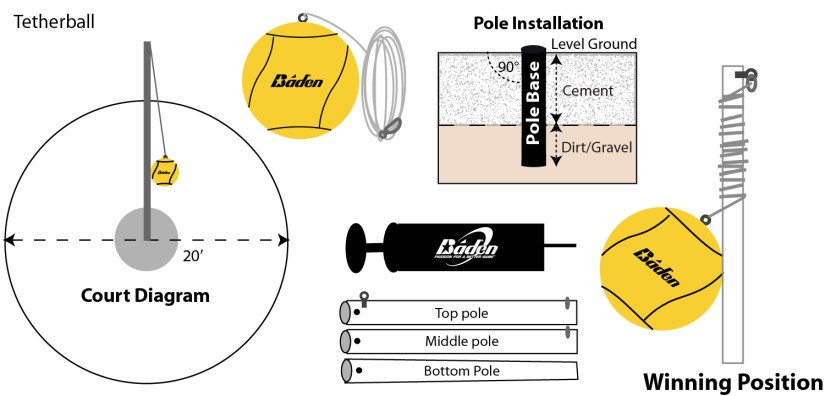
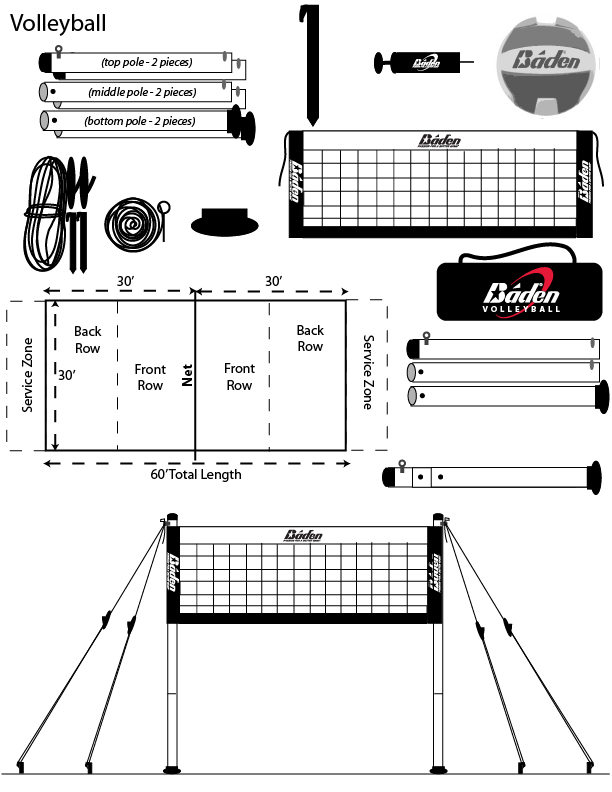
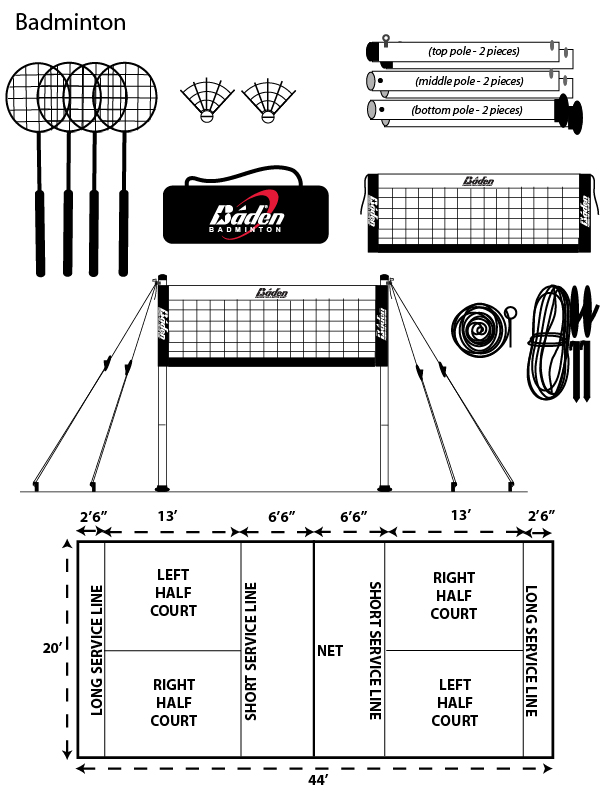
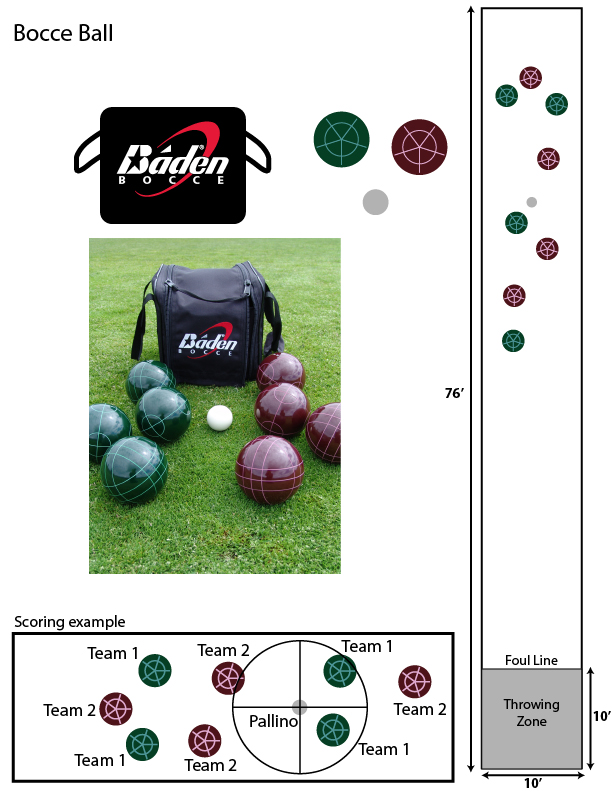
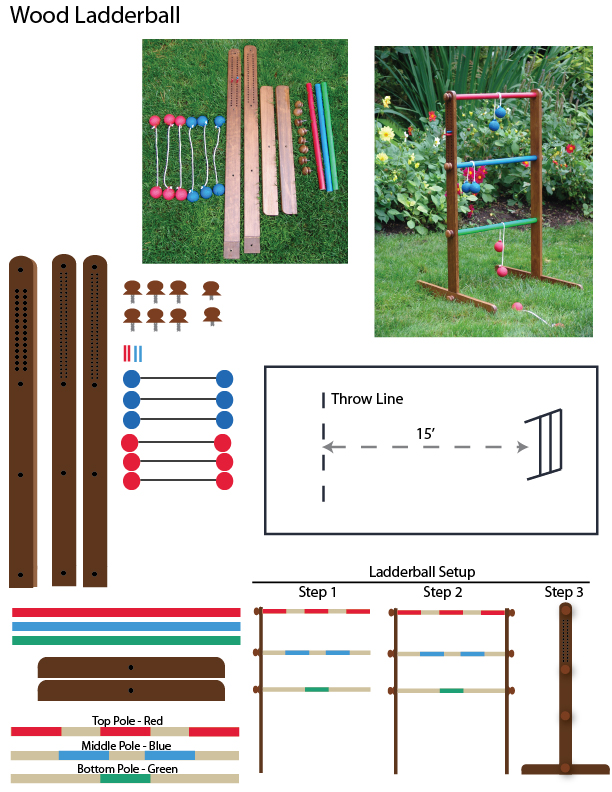
I first recreated every physical component as a clean vector illustration using Adobe Illustrator. Those illustrations became the foundation for the assembly instructions and parts inventory, making it easy for users to identify everything included in the package before they began setup.

Next, I researched multiple sources to compare game rules and terminology. Rather than repeating confusing language, I distilled the information into concise, logical instructions written in plain English. Whenever specialized terminology was necessary, I defined it within the document so users never had to leave the instructions to understand what they were reading.

Throughout the project, my guiding principle was simple: every question a customer might ask should already be answered before they needed to ask it.


What I Created

  • Complete instruction manuals for multiple backyard games
  • Assembly instructions with step-by-step illustrations
  • Illustrated parts inventories
  • Court layout and setup diagrams
  • Gameplay instructions
  • Scoring guides
  • Win-condition explanations
  • Volleyball terminology glossary
  • Warranty documentation
  • Product safety information

Results & Impact

  • Produced consumer-friendly documentation included with products sold through major national retailers including Amazon, Walmart, and Dick’s Sporting Goods.
  • Reduced ambiguity by consolidating inconsistent game rules into clear, standardized instructions.
  • Combined illustrations and written instructions so customers could assemble products more confidently.
  • Created reusable documentation templates that maintained consistency across multiple product lines.
  • Allowed the product owner to focus on new product development while I owned the documentation process.

Although I don’t have formal usability metrics, the documentation became part of every product package and supported thousands of customers purchasing these games through retail and e-commerce channels.


My Process

Observe

I examined every product component, reviewed product photography, and researched how different sources explained each game’s rules. Comparing multiple references quickly revealed where customers were most likely to become confused.

Understand the Goal

The objective wasn’t simply to document the products. It was to help first-time users successfully assemble the game, understand the rules, and start playing with confidence.

Remove the Friction

I simplified technical language, defined unfamiliar terminology, illustrated every important component, and organized information into a logical sequence that matched the customer’s natural workflow.

Design for People

I assumed no prior knowledge. Every illustration, diagram, and instruction was designed to answer questions before users encountered them, reducing frustration during setup and gameplay.

Measure Adoption

Although formal analytics weren’t available, the documentation became the standard instructions included with multiple backyard game products distributed through national retailers.

Refine & Improve

Each new instruction manual benefited from lessons learned on previous products. As I documented additional games, I refined the layout, illustration style, and writing approach to create a more consistent experience across the entire product line.


Key Takeaways

  • Good technical writing begins with understanding what the reader doesn’t know.
  • Visual communication and written communication are most effective when designed together.
  • Clear documentation removes friction before users experience it.
  • Research is only valuable if it can be translated into language that everyday users understand.
  • Consistency across documentation builds confidence and improves the overall product experience.
  • Technical communication isn’t just about accuracy. It’s about helping people succeed.

From Product Concept to Consumer Documentation

One of the things I enjoy most about technical communication is taking incomplete or highly technical information and transforming it into documentation that anyone can understand.

For this project, I wasn’t handed finished documentation to polish. I started with a simple product overview that included photographs of the components, a parts list, and basic product information. From that foundation, I researched the rules for each game, created custom illustrations, designed assembly diagrams, and wrote the complete instructions that were ultimately included with the finished products.

Seeing the starting point alongside the finished documentation demonstrates how technical communicators add value by organizing information, filling knowledge gaps, and designing documentation around the needs of the end user.


Project Evolution

1. Product information provided

Initial product information provided by the product owner, including component photos and basic product details.


2. Parts illustrations & court setup diagrams

I recreated every component as a clean vector illustration to make identifying parts much easier during assembly. For court setup diagrams, I researched official dimensions and created diagrams that simplified setup. The final version would be black and white, so I ensured the colors would translate as expected.


3. Final instruction guides

Complete consumer documentation combining illustrations, assembly instructions, gameplay, scoring, glossary, and safety information.

Writing Educational Automotive Content That Built Customer Trust

In 2014, I returned to one of my earliest interests: writing.

After earning my Communication degree with an emphasis in journalism, I had hoped to build a career around writing, but my professional path took me into marketing, operations, and software instead. Even so, writing remained a constant throughout my work, whether I was creating marketing materials, documentation, websites, or training resources.

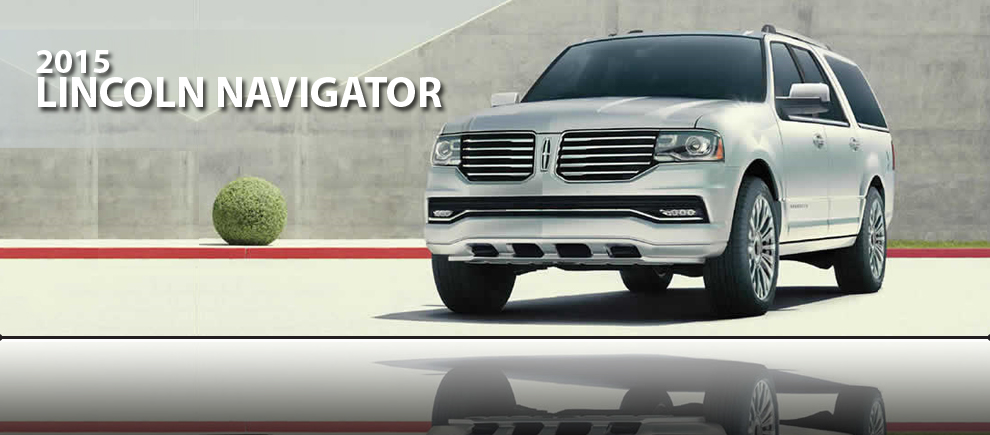
While working as a Marketing Specialist for an automotive dealership, I accepted a freelance opportunity writing educational automotive content for MotoFuze, an automotive software startup.

That project became much more than a freelance writing assignment. It ultimately led to a full-time remote position where my responsibilities expanded from content creation into customer training, onboarding, documentation, and software adoption, setting the direction for the next stage of my career.


Project Snapshot

OrganizationMotoFuze (Freelance)
RoleFreelance Automotive Writer
Timeframe2014–2015
Primary FocusEducational content writing
AudienceVehicle shoppers and automotive dealerships
Deliverables* Vehicle overview articles
* Vehicle comparison articles
* Safety feature articles
* Hybrid vehicle education
* Event-related dealership content

My Approach

The purpose of each article wasn’t simply to describe a vehicle, it was to help customers make informed decisions.

I understood that most people spend weeks or even months researching before purchasing a vehicle. By creating educational content that answered common questions, dealerships could become part of that research process much earlier. Instead of simply advertising inventory, they could establish trust by helping shoppers understand their options.

Because I was working at a dealership at the same time, I also understood the real questions customers asked every day. That practical experience helped me write content that was informative, approachable, and relevant rather than simply repeating manufacturer specifications.


What This Work Led To

This project changed the direction of my career.

As MotoFuze grew, the company invested in automated vehicle content and data providers, reducing the need for freelance writers. Rather than ending our relationship, they reached out with a different opportunity.

They believed my combination of writing ability, dealership experience, and communication skills made me an ideal fit for a full-time remote position helping dealerships adopt their software.

That opportunity became my introduction to:

  • Software training
  • Instructional design
  • Customer onboarding
  • Documentation
  • Product communication
  • Technical writing
  • Organizational adoption

Looking back, this freelance writing project became the bridge between traditional marketing and the work I continue to enjoy today.


Key Takeaways

  • Educational content builds trust long before a customer is ready to buy.
  • Strong writing begins by understanding the reader’s questions.
  • Subject matter expertise comes from listening to customers as much as researching products.
  • Sometimes a side project becomes the opportunity that changes your career.
  • Good communication skills transfer naturally into documentation, training, and product education.

Featured Work Samples

How to Create Mailing Labels in Word From an Excel List

This example is about analyzing where users get stuck, breaking a confusing multi-application workflow into manageable steps, and designing instruction for people with no prior knowledge. It also demonstrates a concrete learning outcome beyond YouTube metrics: someone learned a skill well enough to pass a hiring assessment and secure a job.


Audience

Office professionals, administrative assistants, small business owners, volunteers, and Microsoft Office users who need to create mailing labels from an Excel contact list but perform the task infrequently.


Learning Challenge

Creating mailing labels requires users to move between Microsoft Excel and Microsoft Word while navigating Mail Merge features that many people only use occasionally. Although the process is straightforward once understood, the sequence of steps can feel unintuitive, causing frustration and repeated errors.

This tutorial was also used as a study resource for a friend preparing for an administrative assistant skills assessment that included creating mailing labels from Excel. After practicing with the tutorial, she successfully completed the assessment and was offered the position.


Learning Objective

By the end of the lesson, learners are able to:

  • Prepare an Excel spreadsheet for Mail Merge.
  • Connect Microsoft Word to an Excel data source.
  • Create and preview mailing labels.
  • Format portions of the merged address, including names and other fields.
  • Complete the merge process confidently without prior Mail Merge experience.

My Role

Independently managed the complete instructional development process:

  • Identified a common user pain point involving Microsoft Office workflows.
  • Designed a beginner-friendly lesson that assumed no previous Mail Merge knowledge.
  • Wrote the instructional script and organized the lesson into logical, sequential steps.
  • Recorded screen demonstrations and narration.
  • Edited and published the instructional video.
  • Monitored audience engagement and incorporated learner feedback into future instructional content.

Results

  • More than 227,900 views
  • Over 19,300 hours of watch time
  • Approximately 70% audience retention after the first 30 seconds, exceeding the typical performance for my channel.
  • Consistently experiences seasonal increases in viewership each holiday season as users prepare mailing lists and greeting cards.
  • Frequently praised for making a traditionally confusing process easy to understand.

Representative Learner Feedback

“This was great! So helpful and easy to follow.”

“I got it right away.”

“Will make a good refresher when needed.”

“Your video is a life saver.”

“After many failed tries down through the years, I had success!”

“Yours covered each step clearly and didn’t assume I had any previous knowledge.”


Skills Demonstrated

  • Instructional design
  • Adult learning principles
  • Technical communication
  • Process simplification
  • Beginner-focused curriculum development
  • Microsoft Office expertise
  • Script writing
  • Instructional video production
  • User-centered content design
  • Learning analytics and audience engagement

How to Create an Order Form With Drop-Down Menus in Excel

This concept originated from a real-world business solution I designed and demonstrates how I solved a business problem first, then taught others how to solve similar problems. I have a consistent track record of understanding problems, designing practical solutions, and helping others adopt them.


Audience

Business professionals, office staff, small business owners, and Excel users seeking to create structured, user-friendly order forms without requiring advanced Excel knowledge.


Business Challenge

This tutorial was inspired by a real solution I developed while working in the amusement park products division at Baden Sports. Sales representatives frequently needed to build shipping container orders that maximized available space while accounting for varying product weights, box dimensions, pricing, and product configurations. The manual process required significant back-and-forth between Sales and Operations to adjust quantities and ensure orders fit within container constraints.

To streamline the process, I designed an Excel-based ordering system that allowed users to select products, quantities, and options from drop-down menus while automatically referencing product information stored in supporting worksheets. The workbook significantly reduced manual calculations, improved order accuracy, and was reused and updated for future purchasing seasons.


Learning Objective

This tutorial adapts those concepts into an approachable learning experience. By the end of the lesson, learners are able to:

  • Create professional order forms in Microsoft Excel.
  • Build drop-down menus using named ranges and Data Validation.
  • Organize lookup data for easier workbook maintenance.
  • Apply appropriate formatting for business data such as ZIP codes and credit card numbers.
  • Design spreadsheets that improve consistency, reduce manual entry, and minimize errors.

My Role

Independently managed the complete instructional development process:

  • Selected a real-world business scenario as the instructional foundation.
  • Simplified a complex enterprise solution into an accessible learning exercise.
  • Designed the curriculum and lesson flow to progressively build learner confidence.
  • Wrote the instructional script.
  • Recorded screen demonstrations and narration.
  • Edited and published the final instructional video.
  • Managed audience engagement and incorporated learner feedback into future content planning.
Results

  • More than 264,300 views
  • Over 20,900 hours of watch time
  • One of the highest-performing instructional videos on the channel.

  • Frequently recommended by viewers as a clearer and more approachable alternative to other Excel tutorials.

Representative Learner Feedback

“AMAZING!! Easiest tutorial ever.”

“Very helpful, concise, to the point, and filled with useful information.”

“For the first time it sank in!”

“One of the best Excel tutorials.”

“The way you explain the processes involved is very understandable and not patronising.”

“Your video solved my two hours of frustration.”


Skills Demonstrated

  • Instructional design
  • Adult learning principles
  • Scenario-based learning
  • Technical communication
  • Microsoft Excel expertise
  • Business process improvement
  • Workflow automation
  • Video production
  • Script writing
  • Educational content development
  • User-centered design

How to Auto-Populate Fields in Excel Using a Drop-Down and VLookup

This example demonstrates how I listened to a learner’s need, identified the knowledge gap (combining Data Validation with VLOOKUP in a practical way), and designed a solution around a real-world task, rather than teaching features in isolation. As a result, this became my most viewed video.


Audience

Microsoft Excel users ranging from beginners to intermediate users who wanted to automate repetitive data entry. This tutorial was inspired by a subscriber who needed to create a packing list that automatically populated customer information after selecting a value from a drop-down list.


Problem

Many Excel users understand individual features like Data Validation or VLOOKUP but struggle to combine them into a practical workflow. Existing tutorials often focus on the functions in isolation or assume prior knowledge, making it difficult for users to apply the concepts to real business scenarios.


Learning Objective

By the end of the tutorial, learners are able to:

  • Create a drop-down list using Data Validation.
  • Use VLOOKUP to retrieve related customer information.
  • Automatically populate multiple fields based on a single selection.
  • Apply the technique to business scenarios such as order forms, packing lists, customer databases, and contact management.

My Role

Independently managed the complete instructional content lifecycle:

  • Identified the learning need from audience feedback.
  • Designed the instructional approach around a real-world business use case.
  • Wrote the script and structured the lesson for clarity and progressive learning.
  • Recorded the screen demonstrations and narration.
  • Edited and published the finished instructional video.
  • Optimized the video title, description, and presentation for discoverability and learner engagement.
  • Monitored viewer feedback to inform future content.

Results

  • Over 414,700 views
  • More than 30,900 hours of watch time
  • Became the highest-performing video on the channel.
  • Consistently praised for its clarity, concise instruction, and practical examples.

Representative Learner Feedback

“Excellent and remarkable learning video, thank you for your magnificent efforts. Fantastic explanation.
“Your description of what I found quite difficult to figure out was most helpful.”


“I’ve spent the past 2 hours trying to figure out how to do this. Your video was extremely helpful and easy to follow.”


“This was the fastest, most succinct solution video I’ve found on this topic.”


Skills Demonstrated

  • Instructional design
  • Adult learning principles
  • Technical communication
  • Curriculum development
  • Script writing
  • Instructional video production
  • Microsoft Excel expertise
  • Audience-centered content development
  • Educational storytelling
  • Learning experience design

Applying Technical Writing Principles Through Practical Documentation Projects

Although technical writing has been a significant part of my work for many years, it has rarely been reflected in my job titles. I have written training manuals, software documentation, process guides, knowledge bases, product requirements, quick reference guides, and countless internal resources throughout my career.

To strengthen that experience with formal training, I completed the Technical Writing course through Coursera by the Moscow Institute of Physics and Technology. I wanted to better understand the principles behind effective technical communication and compare my real-world experience with established best practices.

The course reinforced many techniques I had already developed through experience while introducing new approaches to structure, clarity, document organization, and audience-focused writing.


Certification

CourseTechnical Writing (link to course)
ProviderCoursera
InstitutionMoscow Institute of Physics and Technology
InstructorElena Bazanova
Year2021
Final Grade98.5%
Peer-Graded Assignments* Project 1: 100%
* Project 2: 100%

What I Learned

Rather than simply learning how to write documentation, the course focused on understanding the purpose behind technical communication.

Topics included:

  • Writing for specific audiences
  • Organizing complex information
  • Technical descriptions
  • Instructional writing
  • Reports and documentation
  • Information hierarchy
  • Document design
  • Graphics and visual communication
  • Technical editing
  • Peer review

Reflection

One aspect of the course I particularly enjoyed was the peer review process. Evaluating other writers forced me to think critically about clarity, organization, and usability, not just grammar.

It also reinforced something I’ve observed throughout my career: effective technical writing isn’t about using complex language. It’s about making complex information understandable.

The experience strengthened principles I continue to apply when creating documentation, training materials, knowledge bases, and software guidance today.


Supporting Portfolio Samples

This project includes:

  • Peer-graded project 1: How to Add a Certification to Your LinkedIn Profile
  • Peer-graded project 2: History and Functionality of the Modern Flushable Toilet

How to Add a Certification to Your LinkedIn Profile

Created as an instructional document designed for everyday users.

Skills demonstrated:

  • Step-by-step instructions
  • Information hierarchy
  • Screenshot integration
  • Audience-focused language
  • Document formatting

History and Functionality of the Modern Flushable Toilet

A technical explanation combined with operational instructions.

Skills demonstrated:

  • Technical descriptions
  • Instructional writing
  • Explaining complex systems
  • Combining reference material with procedures
  • Visual organization

Designing Print Marketing Collateral for Automotive Sales and Service Campaigns

Designed print marketing materials that supported sales, service, and promotional campaigns while improving turnaround times, maintaining OEM compliance, and reducing outsourcing costs.


Project Snapshot

OrganizationKorum Automotive Group
RoleMarketing Specialist
Timeframe2012 – 2014
Primary FocusPrint design, marketing communications, brand compliance, production
Audience* Vehicle buyers
* Service customers
* Commercial vehicle customers
* Dealership staff
* OEM representatives
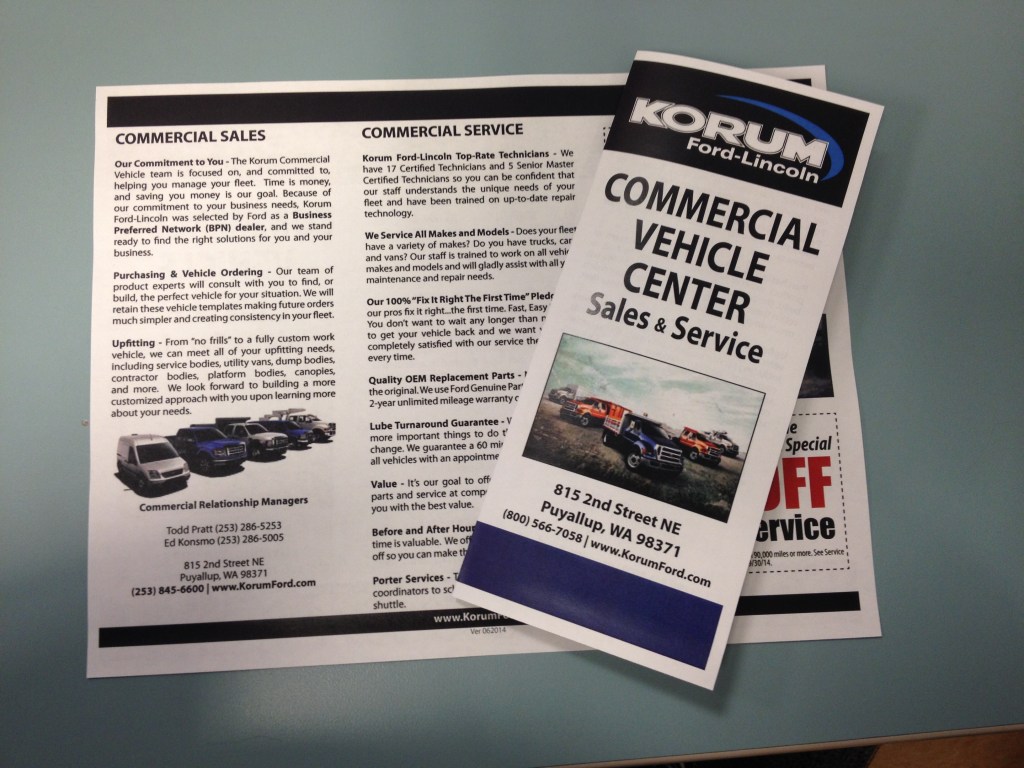
Deliverables* Tri-fold brochures
* Service brochures
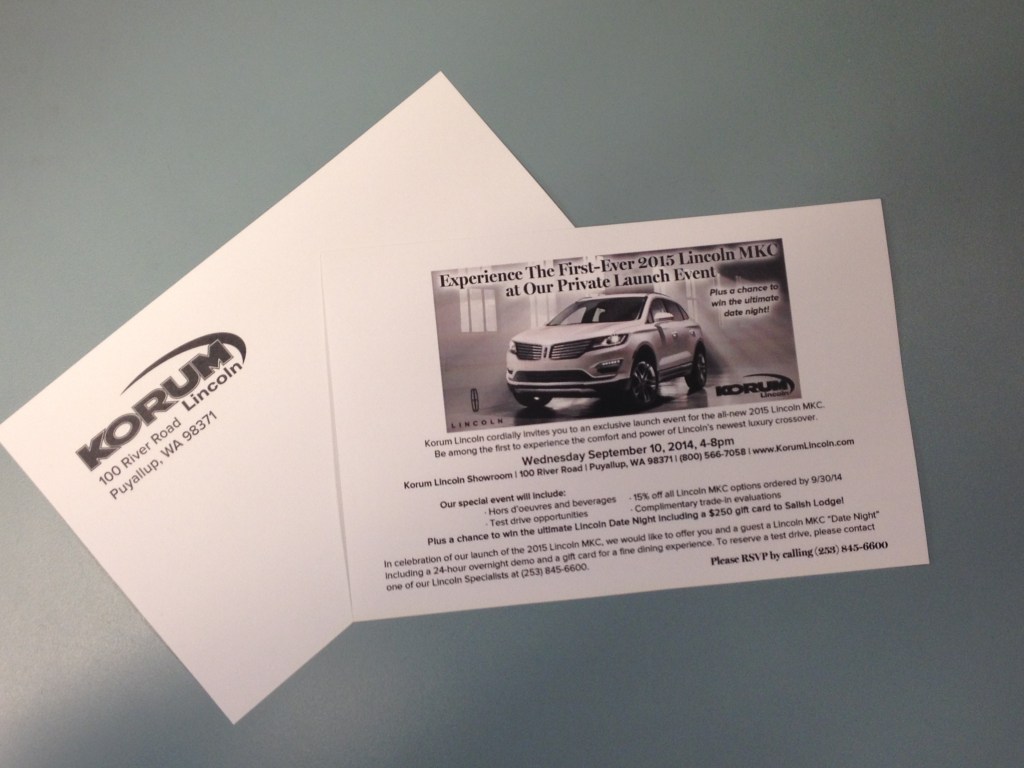
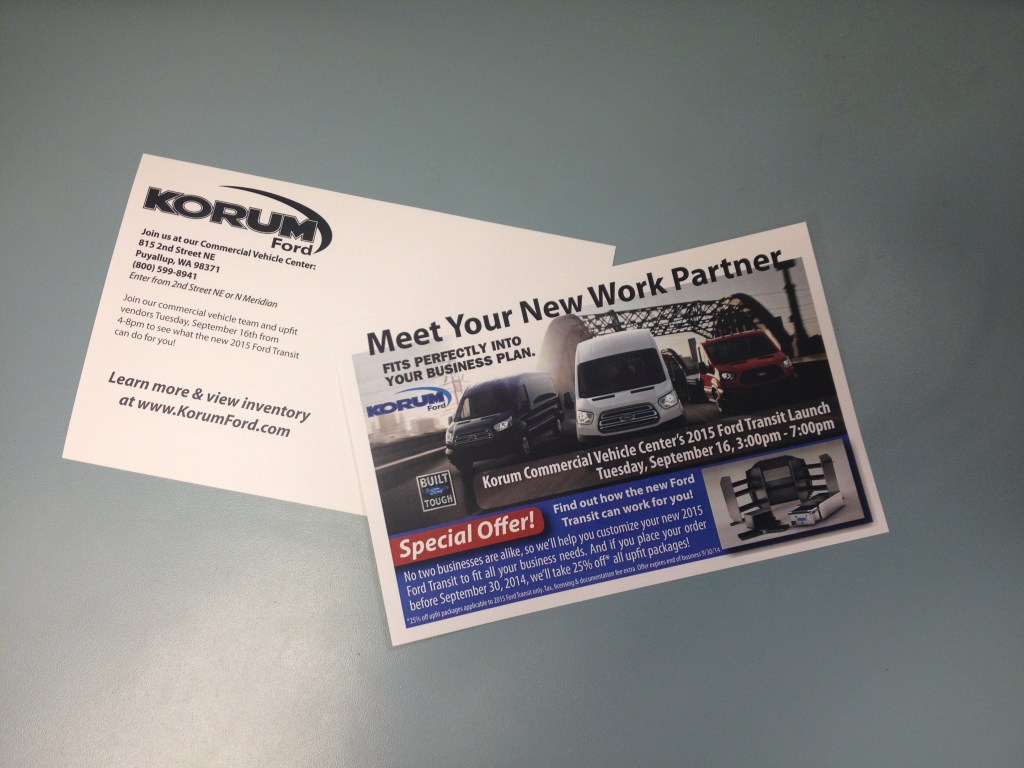
* Postcards
* Flyers
* Promotional materials
* Print-ready production files
Tools* Adobe InDesign
*Adobe Photoshop
*Adobe Illustrator
*Digital photography
*OEM marketing assets
*Commercial printing equipment

The Challenge

As a multi-brand dealership group, we regularly needed professionally designed print materials to support vehicle sales, service promotions, commercial vehicle operations, and special events. These materials needed to communicate information clearly while meeting strict manufacturer brand standards and approval requirements.

Many organizations outsource this type of work, but outsourcing often introduced delays as designs moved back and forth between the dealership and external designers. Each revision could take days, slowing marketing campaigns and increasing costs. Because we frequently needed updated promotions, pricing, and event materials, a faster and more flexible approach was needed.


My Approach

Rather than relying on outside agencies for every project, I developed the skills to design much of our print collateral in-house. This allowed me to work directly with managers, sales staff, and service leaders to quickly gather information, photograph team members when needed, incorporate feedback, and finalize designs without lengthy revision cycles.

Compliance remained a critical part of every project. I became familiar with OEM branding standards, required disclaimers, approved fonts, and logo usage so materials could be submitted for manufacturer approval throughout the design process instead of waiting until completion. Catching potential issues early helped avoid unnecessary redesigns and kept projects moving forward.

I also looked beyond individual brochures and considered how each piece fit within a broader marketing campaign. Whether customers encountered a postcard, brochure, website banner, or email, I wanted every touchpoint to feel like part of a consistent experience.


What I Created

  • Commercial Vehicle Center brochures
  • Recommended maintenance schedule brochures
  • Service department brochures
  • Promotional postcards
  • Event invitations
  • Coupons and service offers
  • Flyers and printed marketing collateral
  • Print-ready production files
  • Photography for marketing materials

Results & Impact

Creating these materials internally helped the dealership respond more quickly to changing promotions while reducing dependence on outsourced design services.

This work contributed to:

  • Faster turnaround on marketing projects
  • Reduced outsourcing costs
  • Consistent branding across print and digital campaigns
  • Improved collaboration with dealership departments
  • Simplified OEM approval process
  • Efficient production of dealership marketing materials
  • Better use of available marketing budgets through OEM co-op reimbursement programs

The experience also expanded my understanding of print production, design standards, and the importance of creating marketing systems rather than isolated pieces.


My Process

Observe

I noticed that outsourced design work often introduced unnecessary delays, even for projects that required only minor revisions. Meanwhile, the dealership needed marketing materials that could be updated quickly.

Understand the Goal

The objective wasn’t simply to produce brochures. It was to create professional, compliant marketing materials that could be developed efficiently while supporting sales, service, and promotional initiatives.

Remove the Friction

By bringing much of the design process in-house, I reduced communication delays, created reusable templates, coordinated directly with stakeholders, and streamlined OEM approval.

Design for People

Customers benefited from clear, well-organized marketing materials, while dealership staff could request updates and collaborate directly throughout the design process. Consistency across campaigns also made promotions easier to recognize and understand.

Measure Adoption

As more print projects were completed internally, the process became the preferred approach for many marketing materials. Faster turnaround and easier collaboration demonstrated the value of keeping design work close to the business.

Refine & Improve

Each project strengthened my understanding of print design, production requirements, and brand standards. Over time I refined templates, improved workflows, and became more efficient at moving projects from concept to printed collateral.


Key Takeaways

This project reinforced that good design is only part of an effective marketing process. Equally important is understanding how work moves from concept to approval to production while balancing deadlines, budgets, and brand standards.

It also strengthened my appreciation for developing practical skills that create flexibility for an organization. By learning new design tools and production processes, I was able to help the dealership complete projects more quickly, reduce outsourcing costs, and make better use of available marketing resources.

Finally, this experience shaped a mindset I’ve carried throughout my career: don’t let limited resources become a barrier to solving problems. I’ve often found that creativity isn’t just about design – it’s also about finding practical ways to accomplish meaningful work with the tools and budget available.


Featured Work Samples

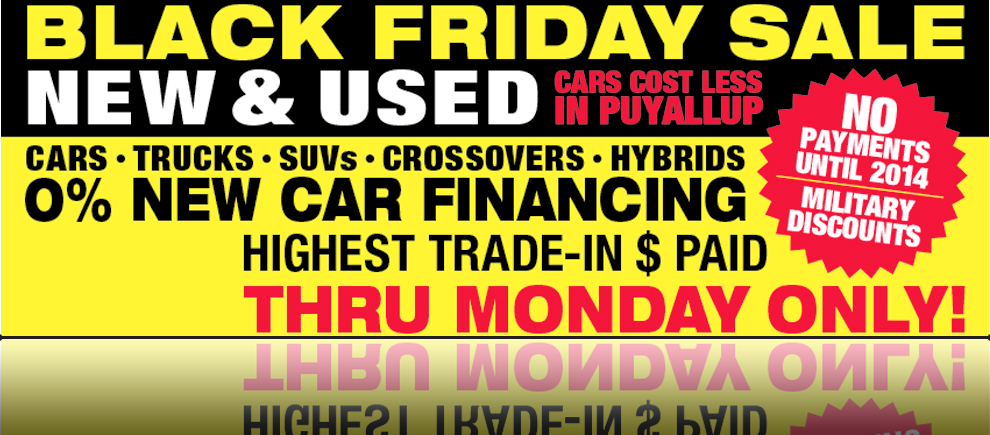
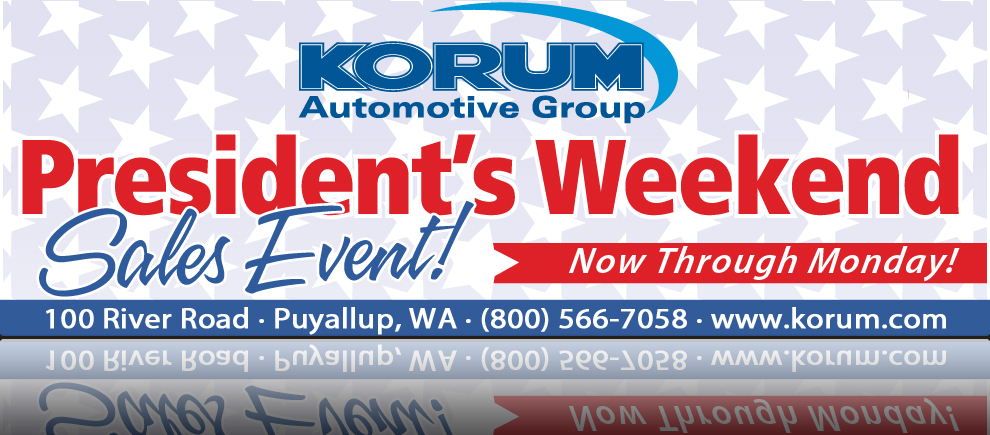
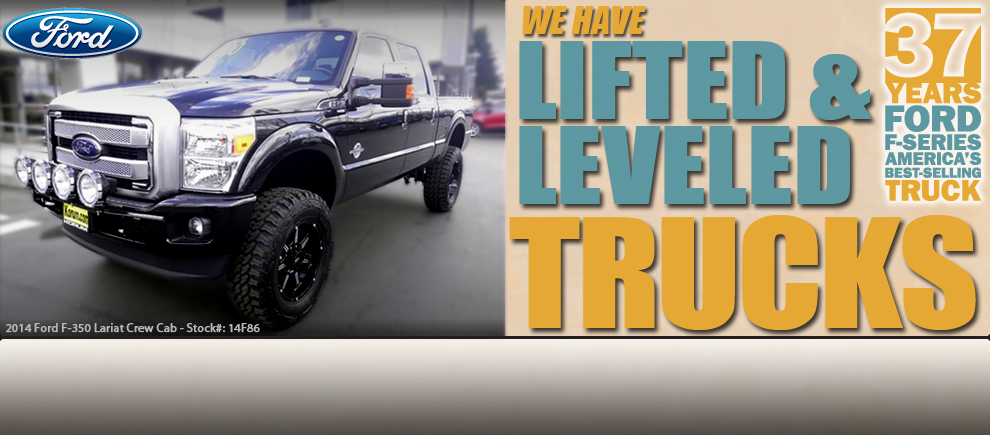
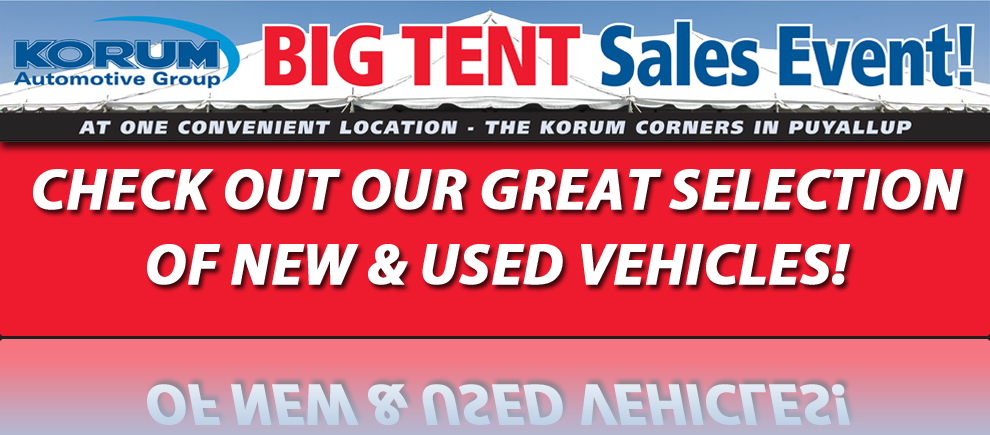
Designing OEM-Compliant Website Banners for Automotive Marketing Campaigns

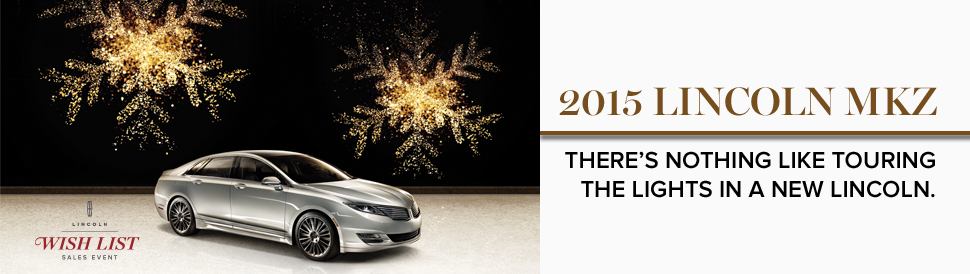
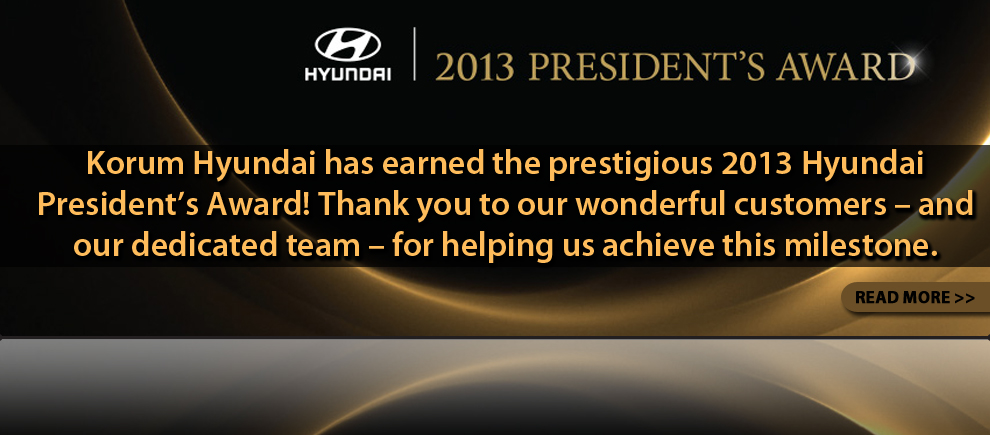
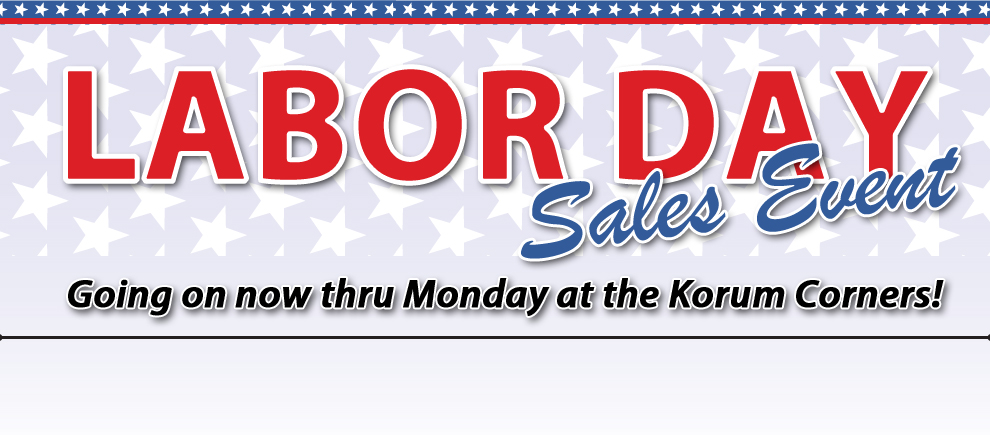
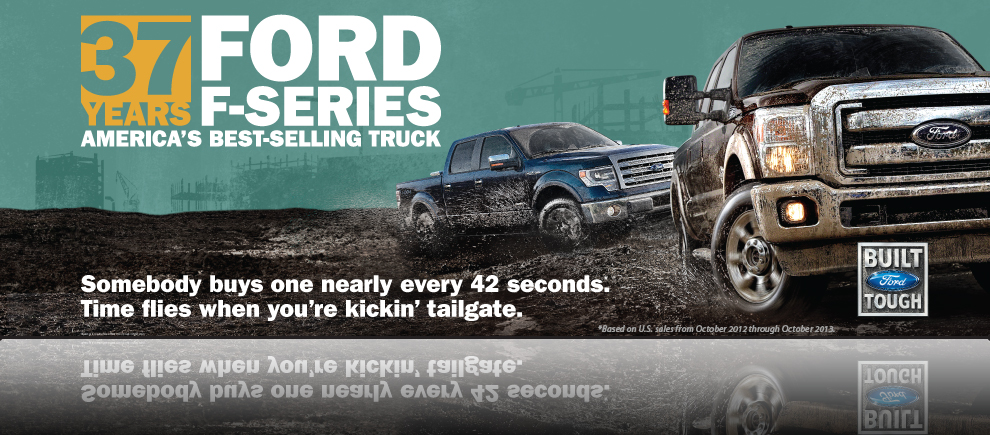
Designed compliant website banners and coordinated digital marketing assets that supported dealership campaigns while creating a consistent customer experience across multiple marketing channels.


Project Snapshot

OrganizationKorum Automotive Group
RoleMarketing Specialist
Timeframe2012 – 2014
Primary FocusDigital marketing, visual design, brand compliance, campaign consistency
Audience* Vehicle shoppers
* Dealership customers
* Marketing department
* OEM brand representatives
Deliverables* Homepage website banners
* Campaign graphics
* Promotional landing pages
* Marketing emails
* Website documentation
* Design templates
Tools* Adobe Photoshop
* Website Content Management System
* Automotive CRM platform
* OEM brand assets

The Challenge

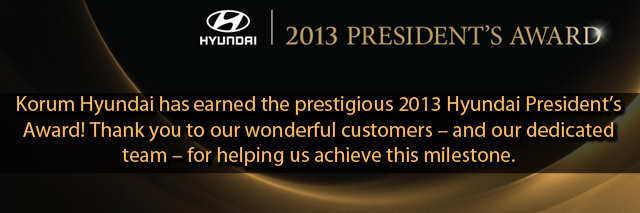
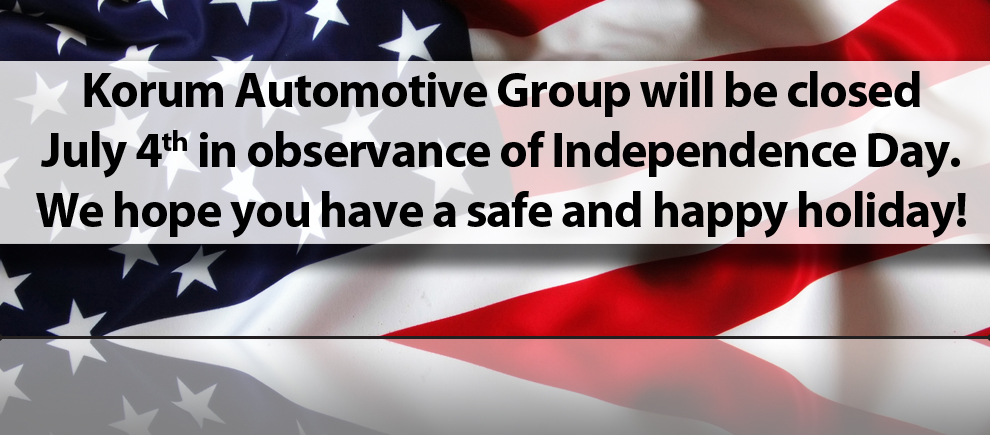
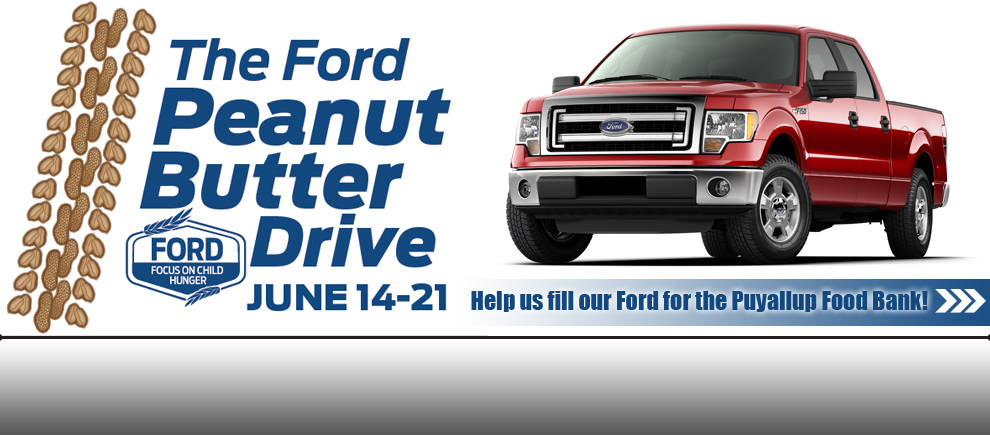
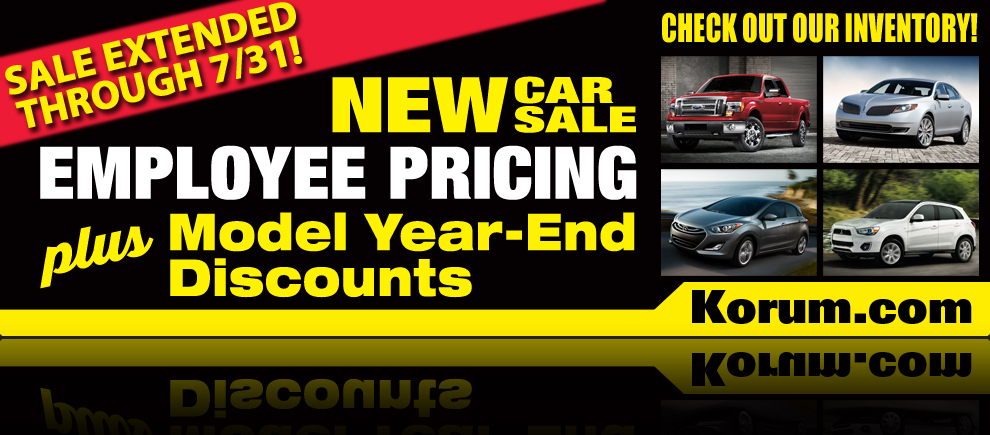
Managing website content for a multi-brand dealership group involved far more than creating attractive graphics. Every banner needed to comply with strict manufacturer (OEM) brand standards governing fonts, imagery, logo placement, legal language, and messaging. Failure to meet those standards could result in failed audits or the loss of advertising reimbursement.

At the same time, dealership promotions moved quickly. Seasonal sales, tent events, manufacturer incentives, and inventory campaigns required fresh marketing materials that worked together across the website, landing pages, email marketing, and print advertising. Creating consistent customer experiences while navigating technical website limitations and brand requirements became an important part of my role.


My Approach

Rather than treating each website banner as an isolated design project, I viewed every promotion as part of a larger marketing campaign. Customers rarely interact with just one piece of marketing – they might first see a newspaper advertisement, receive an email, visit the dealership website, and eventually arrive on a campaign landing page. I wanted those touchpoints to feel connected so customers immediately recognized they were part of the same promotion.

I also looked for ways to make the design process more efficient and repeatable. Because navigation buttons covered part of the homepage banners, I created design templates that identified the “safe” areas for text and legal disclaimers. I documented banner dimensions, upload procedures, and technical requirements so future updates could be completed consistently and correctly.

Much of the artwork originated from our OEM partners or other vendors, so my role was often adapting existing assets into cohesive digital experiences while ensuring every piece remained compliant with manufacturer standards.


What I Created

  • Homepage website banners
  • Campaign graphics
  • Promotional landing pages
  • Marketing email graphics
  • Website design templates
  • Banner placement guidelines
  • Website publishing documentation
  • Cross-channel campaign assets
  • Brand-compliant promotional materials

Results & Impact

This work helped establish a more consistent and organized approach to dealership marketing.

The project contributed to:

  • Consistent branding across multiple dealership websites
  • Improved continuity between print, email, website, and landing pages
  • Faster creation of promotional campaigns
  • Reduced design errors through reusable templates
  • Simplified website updates through documentation
  • Support for OEM compliance requirements
  • Greater use of internal resources rather than outsourced design work

While many of the visual assets originated from OEM marketing materials, adapting them into effective digital campaigns required careful planning, technical knowledge, and attention to brand standards.


My Process

Observe

I noticed that marketing materials were often created independently of one another, even though customers experienced them as part of the same campaign. Technical limitations and brand standards also introduced opportunities for mistakes.

Understand the Goal

The objective wasn’t simply to design banners, it was to create marketing experiences that were visually consistent, technically accurate, and compliant across every customer touchpoint.

Remove the Friction

I created templates, documented publishing requirements, and established consistent design practices that reduced repetitive work while helping prevent compliance issues.

Design for People

Customers benefited from campaigns that felt familiar as they moved from advertisements to emails to the website. Internally, clear templates and documentation made updating the site easier and more reliable.

Measure Adoption

As campaigns became routine, the templates and documentation became part of the normal workflow, making it easier to produce consistent marketing materials while meeting tight deadlines.

Refine & Improve

Each campaign provided opportunities to improve the process. Over time I refined templates, streamlined design workflows, and developed a better understanding of OEM requirements across multiple automotive brands.


Key Takeaways

This project reinforced that effective visual design extends beyond creating attractive graphics. Every design decision should support a larger goal, whether that’s maintaining brand consistency, improving customer understanding, or helping a team work more efficiently.

It also strengthened my appreciation for designing complete experiences rather than individual deliverables. A customer doesn’t distinguish between a newspaper advertisement, an email, a website banner, or a landing page—they experience them as one journey. Creating consistency across those touchpoints helps build trust and makes the experience feel intentional.

Finally, I learned that good design often happens within constraints. Brand standards, technical limitations, and compliance requirements weren’t obstacles to creativity—they provided a framework for creating solutions that were both visually effective and operationally reliable.


Featured Work Samples