
Project Preview
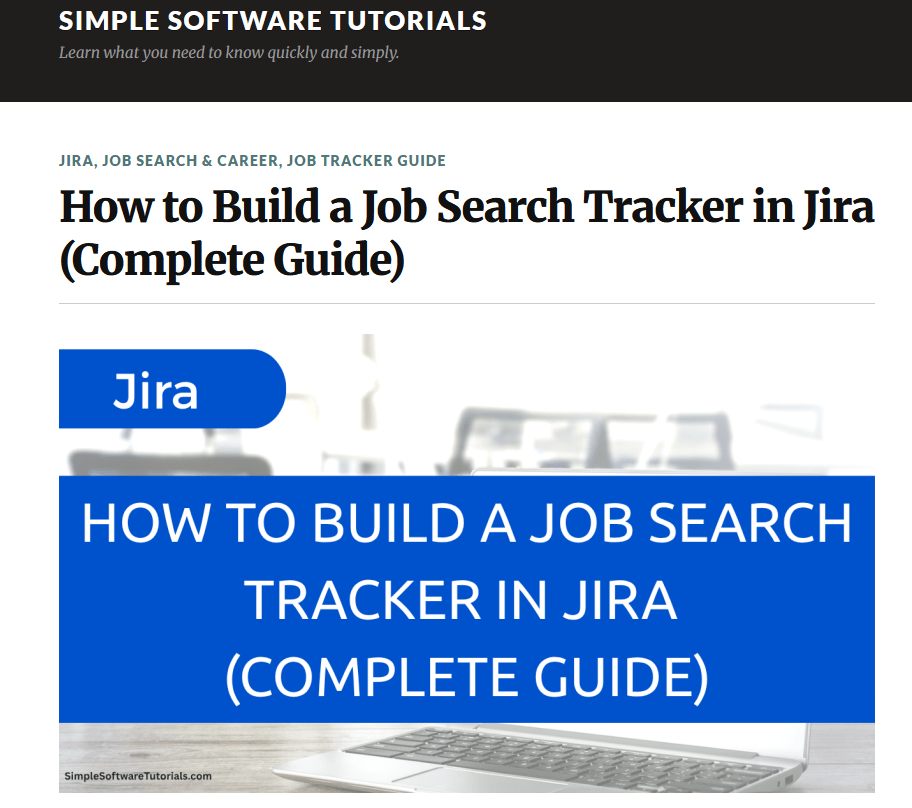
I designed and built a complete job search tracking system in Jira, then created a beginner-friendly learning series showing others how to build and customize their own version using Jira’s free plan.
The project combines workflow design, learning experience design, technical writing, software training, resource development, and real-world product use. Rather than teaching Jira through disconnected features, I used a practical project that gives learners something useful at the end: a customizable system for organizing their job search.
The skills learned through this guide can be applied to other projects users may have as well.
- Role: Experience Designer / Content Developer
- Organization: Simple Software Tutorials
- Time frame: 2026
- Project type: Independent learning and workflow design project
- Primary focus: Learning experience design, workflow design, technical documentation, software training
- Tools used: Jira Cloud, WordPress, YouTube, Google Docs/Drive, Screenpal screen recording and video editing software
Where This Was Used
I posted this guide on my software tutorials website and as a course on my YouTube channel so it was easily accessible to my followers and anyone who might benefit from this guide. I also shared it on LinkedIn as a free resource for job seekers or anyone interested in learning Jira.
The tracker is built in a free Jira Cloud account. I also use my own version to organize real job opportunities, application activities, interviews, follow-ups, and closed opportunities. This way, I gain real experience using the tracker so I can confidently speak to its use and adjust my training so it reflects real-life usage.
The complete learning series is published as a collection of written tutorials, videos, and downloadable planning resources. Learners can follow the entire series from setting up a Jira account through building and using a customized job search tracker.
What I Created
I created a Jira-based system that allows job seekers to manage opportunities through each stage of the application process.
The tracker uses a Kanban workflow with the following stages:
Interested → Preparing → Applied → Interviewing → Waiting → Follow Up → Closed
Each job opportunity is created as a Jira story containing the most important information about the role, including:
- Job title and company
- Link to the job posting
- Employment and work type
- Salary information
- Application source
- Application and follow-up dates
- Job description and research notes
- Contacts and company connections
As users find and apply for jobs, they can move the stories through a logical and flexible workflow, being able to see the status of each job at a glance.
I then developed a complete learning series around the tracker so users could follow a simplified and refined process, with resources and simplified instructions to guide them each step of the way.
Why I Created It
This initially began as a solution for myself – I had a decent system for tracking job opportunities, but it was easy to lose sight of the status of each. I recalled how well I could organize projects in Jira, so I decided to try out my idea and built a system that was easy to use.
Since so many people are out of work, I thought this would be a perfect opportunity to document how I created this job tracker and share it as a free resource for job seekers or anyone interested in learning how to use Jira.
The project also addressed a second need: many people want to gain or refresh Jira experience but may not have access to it through their current job. Building a job tracker gives learners a realistic, low-risk way to practice using Jira while creating something directly useful to them.
Instead of presenting Jira as an abstract project-management tool, I wanted to answer a more approachable question: How can someone use Jira to solve a real problem in their own life?
Who I Created It For
I designed the tracker and learning series primarily for:
- Job seekers managing multiple opportunities
- People who need to document their job-search activity
- Jira beginners who want a practical introduction to the platform
- Professionals who want to refresh their Jira knowledge
- Learners who understand software best by building a real project
- People who want a customizable alternative to a traditional job-search spreadsheet
The series assumes that the learner may have little or no previous Jira experience. Each tutorial focuses on a manageable part of the build and explains not only which steps to follow, but why each component is useful.
I also emphasized that the tracker is a starting point rather than a rigid system. Learners are encouraged to change the workflow, fields, templates, and level of detail so the finished tracker supports their own job-search process.
How I Created It
Observe
I recognized that the job search process can quickly become messy and difficult to manage. Job seekers may be researching several roles, tailoring application materials, tracking interviews, recording contacts, and remembering follow-up dates at the same time.
Traditional spreadsheets can store this information, but they do not always provide a clear view of where each opportunity stands or the individual activities connected with it – there are simply too many moving pieces to organize everything in a spreadsheet.
Understand the Goal
The ultimate goal is to find the right job, but staying organized can make that process more manageable.
I wanted to create a system that would help job seekers:
- See the status of each opportunity
- Keep job details and notes in one place
- Track application-related activities
- Remember interviews and follow-ups
- Focus their attention on the opportunities requiring action
Remove the Friction
I designed the tracker in Jira Cloud using features available through its free plan, removing the need to purchase specialized job-search software.
I created a logical Kanban workflow, reusable templates, structured custom fields, and supporting tasks so users would not need to design the entire system from scratch. I also developed step-by-step tutorials and planning resources to make the setup process easier to follow.
Design for People
I built the tracker myself from the beginning, approaching the project from the perspective of someone who might have little or no previous Jira experience. I stumbled many times through that process, but through my failures I was able to build an even stronger and more logical process.
Rather than requiring users to enter every possible detail immediately, I designed the system so they could begin with basic information, such as the job title, company, and posting link, and add more as an opportunity progressed.
I also emphasized that the tracker should be customized. The templates and workflow provide a starting point, but users are encouraged to change them to match their own job-search habits and priorities.
Evaluate Results
Because this was an independent project rather than an employer-sponsored implementation, I did not have access to formal organizational adoption metrics.
Instead, I evaluated whether the system was approachable and usable by:
- Building it in a clean Jira environment
- Following the steps from a beginner’s perspective
- Using the tracker during my own job search
- Identifying where the setup or templates felt unnecessarily complicated
- Creating a practical demonstration showing how the tracker could be used without completing every field immediately
Refine & Improve
Using the tracker in an actual job search revealed opportunities to improve both the system and the learning experience.
For example, I adjusted the templates and instructional approach so users could capture an opportunity quickly and add detail later rather than feeling pressured to complete everything at once. I also recorded a walkthrough of how to realistically use the job tracker so users could see firsthand how simple it was to use it.
The tracker and learning series continue to evolve as I use the system and identify additional ways to make it clearer and more practical.
What It Accomplished
This project produced both a functional job-search management system and a complete learning experience built around it.
It demonstrates my ability to:
- Identify a real user problem and design a practical solution
- Translate a complex software platform into approachable instruction
- Design workflows, issue structures, fields, and templates
- Test and refine a system through actual use
- Create connected written, video, and downloadable learning materials
- Organize individual tutorials into a cohesive learning path
- Teach software through a realistic project rather than isolated features
- Balance structure with flexibility so users can adapt the system to their needs
The project also gives job seekers a way to build demonstrable Jira experience without needing access through an employer. By completing the series, a learner can discuss not only Jira features but also a system they planned, configured, customized, and used.
Explore the Project
View the full guide and its contents here: How to Build a Job Search Tracker in Jira (Complete Guide)
The complete project includes:
- A complete guide connecting the full series
- Step-by-step written tutorials
- Companion YouTube videos
- A YouTube course
- The finished Jira Kanban board and workflow
- The job opportunity story template
- A downloadable planning workbook
- A practical demonstration of the tracker in use

